

















RDMA reduces CPU overhead in NVMe‑oF by allowing direct memory‑to‑memory data transfers between servers and storage, bypassing the operating system and CPU. This eliminates interrupts and context switches, freeing CPU cycles for compute workloads. Combining RDMA with NVMe‑oF delivers up to 80% lower latency compared to TCP/IP‑based protocols, making it ideal for AI and real‑time analytics.
Check: Storage Server
What Is RDMA and How Does It Work in NVMe‑oF?
Remote Direct Memory Access (RDMA) enables data to move directly between a server’s memory and a storage device without involving the operating system or CPU. It achieves this through zero‑copy transfers and kernel bypass, removing the overhead of context switches and interrupt processing. NVMe‑oF leverages RDMA fabrics such as InfiniBand, RoCE v2, and iWARP to extend NVMe’s low‑latency benefits across a network. RDMA‑enabled NICs like NVIDIA ConnectX‑7 and switches such as H3C S6800 series (available from WECENT) form the foundation of this high‑performance storage architecture.
Why Does CPU Overhead Matter for Enterprise Storage?
Traditional TCP/IP storage stacks require multiple data copies between application and kernel buffers, numerous context switches, and interrupt handling for every packet. This consumes substantial CPU cycles. For a virtualised host running 50 VMs with a heavy storage workload, up to 30% of CPU can be consumed by storage I/O alone. The result is higher core count requirements, lower VM density, and increased power and cooling costs. Reducing this overhead directly improves total cost of ownership (TCO) and frees compute resources for critical applications.
How Does RDMA Bypass the CPU for Faster Data Transfers?
RDMA supports three transport operations: Read, Write, and Send/Receive. Each operation allows the NIC to access application memory directly, bypassing the CPU for data placement. The table below compares the data path of TCP/IP versus RDMA.
| Feature | TCP/IP Storage | RDMA Storage |
|---|---|---|
| Data copy | Multiple (buffer copies) | Zero‑copy |
| CPU participation | Every packet interrupt | Direct memory access |
| Latency overhead | 50–200 µs (typical) | 2–10 µs (NVMe‑oF) |
| CPU utilisation per Gbps | High (1 core per 10 Gbps) | Very low (shared across fabric) |
With RDMA, our clients running Dell PowerEdge R760xa (Gen16) and Huawei OceanStor arrays see CPU savings of 20–40% in database workloads.
What Are the Key Differences Between RDMA and Traditional TCP Storage?
RDMA offers lower latency and higher throughput but requires RDMA‑aware hardware and a lossless fabric. TCP works on any network but incurs significant CPU overhead. Real‑world benchmarks show NVMe‑oF over RoCE v2 achieves ~5 µs latency versus ~80 µs for TCP‑based iSCSI. For latency‑sensitive AI training, HPC, and real‑time analytics, RDMA is essential. TCP may suffice for less demanding workloads such as backup and archival. When choosing, consider workload criticality and budget for RDMA‑capable NICs and switches.
Which Hardware Components Are Essential for an RDMA‑Based NVMe‑oF Stack?
Essential components include servers with PCIe Gen4/5 support, RDMA‑capable NICs, and NVMe drives. Dell PowerEdge Gen14 to Gen17 models such as R750xa, R760xa, and R770 are ideal – all supplied by WECENT. NICs like NVIDIA ConnectX‑6/7 and Broadcom BCM57504 are available with original warranties. Lossless Ethernet switches supporting RoCE v2 – for example, H3C S6800 and Cisco Nexus 9000 series – are required. Enterprise storage arrays such as Dell PowerStore and Huawei OceanStor Dorado offer NVMe‑oF target support. For AI workloads, pair these with NVIDIA H100/H200/H800/B100/B200/B300 GPUs – WECENT offers the complete spectrum from GeForce to data centre GPUs.
Check: Storage Server
The following compatibility matrix highlights server models and RDMA support.
| Server Model | PCIe Gen | Supported RDMA NICs | NVMe‑oF Target Support |
|---|---|---|---|
| Dell PowerEdge R760xa | Gen5 | ConnectX‑7, BCM57508 | Yes (via PERC or NVMe) |
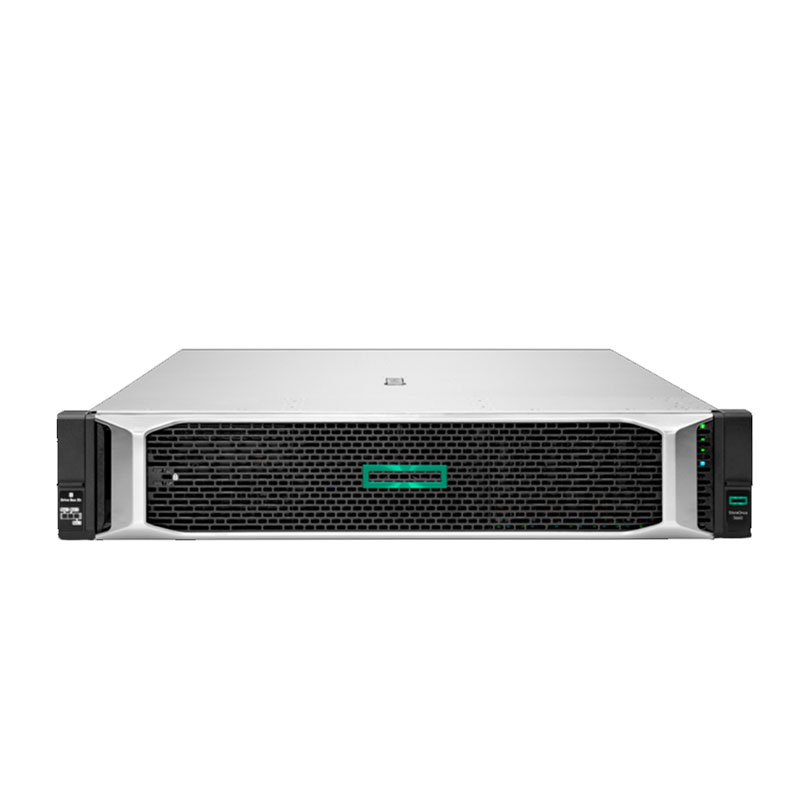
| HPE ProLiant DL380 Gen11 | Gen5 | ConnectX‑7, iWARP | Yes (Smart Array) |
| Huawei FusionServer 2298H V7 | Gen5 | ConnectX‑7, Huawei SP335 | Yes (OceanStor) |
How Can Data Centers Deploy RDMA for NVMe‑oF Without Major Disruption?
Implementation involves several key steps. First, assess current infrastructure – fabric, NICs, and server compatibility. Second, choose an RDMA flavour: RoCE v2 is most common for Ethernet‑based data centres. Third, enable PFC (Priority Flow Control) and ECN (Explicit Congestion Notification) on switches. Fourth, validate with NVMe‑oF initiator/target configuration using Linux, VMware vSAN, or Windows Server. A phased approach starting with a pilot cluster minimises risk.
WECENT Expert Views: “From our 8+ years of deployment experience, we recommend starting with a pilot cluster using Dell PowerEdge R760xa + NVIDIA ConnectX‑7 + H3C S6800 switch. WECENT provides end‑to‑end consultation – from component selection to installation and ongoing support, ensuring a smooth transition without vendor lock‑in.”
What Enterprise Use Cases Benefit Most from RDMA in NVMe‑oF?
AI/ML training sees the greatest benefit. RDMA feeds data to GPU clusters (e.g., H100/B200) without CPU bottlenecks, accelerating training by 2–3x. Real‑time financial trading gains sub‑microsecond data retrieval. Virtual Desktop Infrastructure (VDI) achieves lower latency and supports more VMs per host. High‑performance databases like Oracle, SQL Server, and SAP HANA experience lower transaction latency and higher IOPS. For system integrators, WECENT’s pre‑bundled RDMA‑ready stacks deliver turnkey AI solutions, reducing integration risks for end clients.
FAQs
Is RDMA compatible with existing Ethernet infrastructure?
Yes, RoCE v2 (RDMA over Converged Ethernet) runs on standard Ethernet switches with lossless configuration (PFC, ECN). Most modern enterprise switches support it.
Does NVMe‑oF require RDMA to work?
No, NVMe‑oF can operate over TCP (NVMe‑oF/TCP), but performance is significantly lower due to CPU overhead. RDMA is recommended for latency‑sensitive workloads.
What is the typical cost premium for RDMA‑capable hardware?
RDMA NICs and lossless switches add 20–40% to network cost versus standard Ethernet, but CPU savings and increased VM density often yield positive ROI within 12–18 months.
Can WECENT supply complete RDMA‑ready server bundles?
Yes, as an authorised agent for Dell, HPE, Huawei, H3C, and NVIDIA, WECENT pre‑configures servers with RDMA NICs, NVMe drives, and compatible switches – all with original warranties and global shipping.
Which GPU‑server combinations are best for RDMA‑enabled AI training?
Pair Dell PowerEdge R760xa (PCIe Gen5) with NVIDIA H100/H200/B100 GPUs and ConnectX‑7 NICs – all stocked by WECENT. For higher density, consider H800/B200 clusters with H3C switches.
Conclusion
RDMA is the critical enabler to unlock NVMe‑oF’s full potential, slashing CPU overhead by 80%+ and delivering sub‑10µs latency – essential for AI, HPC, and real‑time enterprise applications. With 8+ years of enterprise IT expertise, official partnerships with Dell, HPE, Huawei, H3C, Cisco, and NVIDIA, and a full spectrum of GPUs (GeForce to H200/B300), WECENT provides the complete hardware stack and lifecycle support – from procurement to deployment. For a tailored RDMA/NVMe‑oF solution, contact WECENT’s engineering team for a free consultation and a competitive quote on original, warrantied hardware.