

















A 370W PoE switch cannot safely power 24 PoE+ devices (30W each) because the total requirement (720W) far exceeds the budget. After subtracting switch internal overhead (~20W) and leaving 20% headroom, a 370W budget supports only about 10 PoE+ devices. Use this formula: (PoE Budget – Overhead) ÷ Per‑Device Power = Max Devices. For 24 PoE+ ports, choose a switch with at least 740W PoE budget. WECENT offers enterprise switches from Dell, HPE, Cisco, Huawei, and H3C with power budgets from 370W to 1000W+.
Check: Which PoE++ Switch Powers WiFi 6 APs and IP Cameras Best?
What exactly is a PoE power budget, and why does it matter?
A PoE power budget is the total wattage a switch can deliver to connected devices over Ethernet. Exceeding this budget causes port shutdown, device brownouts, or switch failure – critical for enterprise uptime. The budget is not the same as the power supply rating; internal switch consumption reduces usable PoE power.
For IT procurement managers, understanding the budget prevents costly downtime. For example, security cameras or access points may go offline if power is overdrawn. Always verify the PoE budget in the switch datasheet before deployment.
How do you calculate the PoE power budget for your switch?
Usable PoE Budget = Total PSU Rating – Switch Internal Consumption (typically 10–30W). Then, Max PoE Devices = Usable Budget ÷ Per‑Device Power (accounting for PoE class). Also account for cable length loss: up to 100m adds 0.5–1W per device.
For accurate planning, use conservative values. The table below summarizes common PoE classes:
| PoE Class | Standard | Max Power per Port | Typical Average |
|---|---|---|---|
| PoE (af) | 802.3af | 15.4W | 13W |
| PoE+ (at) | 802.3at | 30W | 25.5W |
| PoE++ (bt) | 802.3bt | 60W / 90W | 51W / 71W |
Always use max power per port for worst‑case calculations, then add 20% headroom for transients and future expansion.
Can a 370W switch handle 24 PoE+ devices?
No. 24 devices × 30W = 720W, which exceeds 370W. Realistic capacity: 370W – 20W overhead = 350W usable. 350W ÷ 30W = ~11 devices (zero headroom). With 20% headroom, only ~9 devices. Many entry‑level 24‑port switches advertise 370W but assume mixed PoE/non‑PoE loads.
WECENT expert views: “Our engineers often see procurement managers order a 370W switch for a full suite of 24 PoE+ access points. After deployment, half the ports drop because the budget is oversubscribed. WECENT recommends always selecting a switch with at least 740W PoE budget if you intend to populate all 24 ports with PoE+ devices. We can help you match the exact load – contact us for a free power budget audit.”
WECENT’s enterprise PoE switches from Dell, HPE, Cisco, Huawei, and H3C – all original and backed by manufacturer warranty – offer power budgets from 370W to 1440W, ensuring your deployment stays online.
What happens if you overload your PoE switch?
Immediate effects: ports shut down in priority order (lowest class first), devices cycle on/off, and network instability occurs. Long‑term damage includes overheating, power supply unit degradation, and reduced switch lifespan. For enterprises, security cameras go offline, VoIP calls drop, and wireless access points fail – leading to costly downtime.
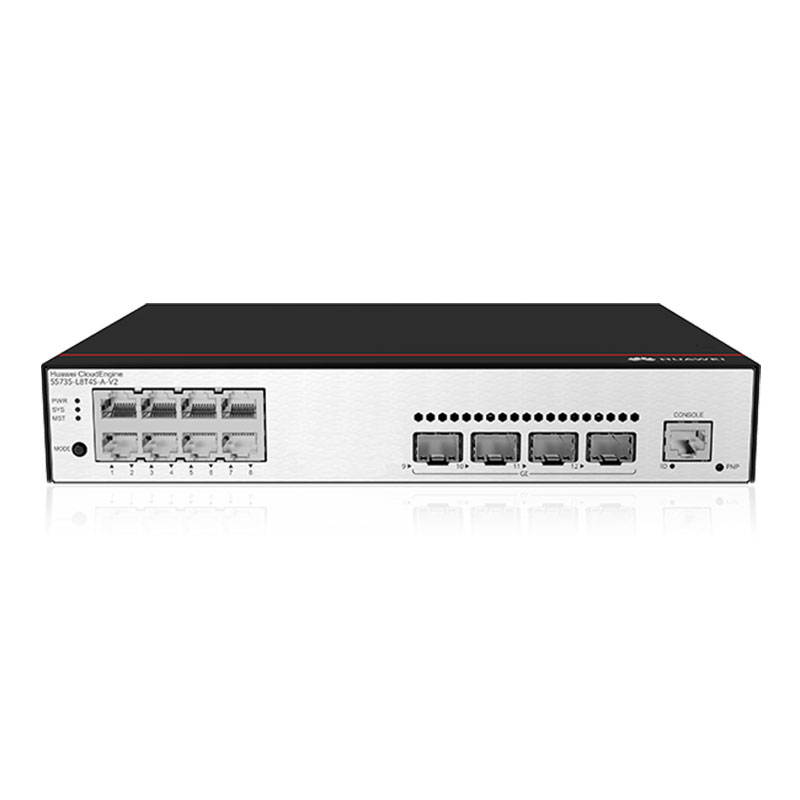
Overloading also violates best practices for critical infrastructure. Procurement managers must calculate total draw before installation to avoid emergency replacements.
How do you choose the right PoE switch for your 24‑port deployment?
First, determine total device power: count devices and identify their PoE class (most IP cameras: 15.4W PoE; high‑end APs: 30W PoE+; PTZ cameras: 60W PoE++). Add 20% headroom for transient spikes and future expansion. Then match the switch model to the required budget, port density, and uplink speed (1G/10G/25G).
Check: Switches
For example, a deployment with 24 PoE+ devices needs at least 720W + 144W headroom = 864W. Choose a switch with a PoE budget of 1000W or more. The table below shows sample calculations:
| Switch PoE Budget | Usable Budget (minus 20W overhead) | Max 30W Devices (with 20% headroom) |
|---|---|---|
| 370W | 350W | ~9 |
| 740W | 720W | ~19 |
| 1000W | 980W | ~26 |
| 1440W | 1420W | ~38 |
WECENT can recommend specific switch series from its authorized brands – Dell, HPE, Cisco, Huawei, H3C – based on your exact load and budget.
Why consider PoE++ and future‑proofing for AI edge devices?
Emerging edge devices such as AI cameras, digital signage, and IoT gateways require PoE++ (60W or 90W). A 370W switch then supports only 4–5 such devices, insufficient for modern deployments. WECENT’s portfolio includes high‑budget switches up to 1440W and upstream GPU servers (e.g., Dell PowerEdge with NVIDIA H100/B200) for AI inference – a one‑stop solution for edge AI infrastructure.
Future‑proofing your network with PoE++ also reduces upgrade cycles. Consult WECENT’s technical team to align switch power with your five‑year growth plan.
How can WECENT help you get the right PoE power budget – and more?
WECENT is an authorized agent for Dell, HPE, Cisco, Huawei, and H3C – guaranteeing original products with manufacturer support. With over 8 years in enterprise IT, WECENT’s technical team assists with power budget calculation, switch selection, and full deployment planning. We also supply complementary hardware: Dell PowerEdge servers (Gen 14–17), NVIDIA GPUs (GeForce to H100/B200/H800), and enterprise storage for complete data‑center or edge solutions.
End‑to‑end services – consultation, installation, maintenance, and ongoing support – make WECENT a trusted partner for IT procurement managers and system integrators worldwide. Whether you need a single switch or a full AI infrastructure bundle, WECENT delivers original, compliant hardware at competitive prices.
Conclusion
A 370W PoE switch is insufficient for 24 PoE+ devices – the math proves it. For a reliable enterprise deployment, choose a switch with a PoE budget at least double your expected load, and always leave 20% headroom. WECENT, as an authorized agent for Dell, HPE, Cisco, Huawei, and H3C with over 8 years of enterprise experience, provides not only the right PoE switches but also the upstream servers, GPUs, and storage to complete your infrastructure. Our team can audit your power budget, recommend the exact switch model, and support you from procurement to deployment – reducing risk and ensuring network uptime. Don’t overload your switch – let WECENT help you spec it right.
Call to action: Ready to calculate your real PoE power budget? Contact WECENT for a free hardware consultation. Visit www.szwecent.com or email sales@szwecent.com.
FAQs
What happens if I plug 24 PoE+ devices into a 370W switch?
The switch will prioritise power allocation; many ports will fail to power up or will cycle on/off. Some switches may shut down completely to protect the PSU. Always calculate the budget beforehand.
Can I upgrade the PSU of a PoE switch to increase the budget?
Some enterprise switches allow PSU upgrades (e.g., certain Cisco Catalyst models). Check the data sheet. WECENT can advise on field‑replaceable PSU options for supported models from its authorized brands.
Do cable length and patch panel connections affect the PoE budget?
Yes, voltage drop over longer Cat5e/6 cables (up to 100m) can increase per‑device power consumption by 0.5–2W. Always use a conservative average (e.g., 30W for PoE+ instead of 25.5W) when calculating your budget.
How do I know the exact PoE class of my devices?
Check the device label or datasheet. Most IP cameras are Class 0–2 (PoE), enterprise wireless APs are Class 3–4 (PoE+), and PTZ cameras or thin clients are Class 5–8 (PoE++).
Where can I get a custom power budget calculation for my deployment?
WECENT offers free pre‑sales technical consultation. Provide your device list (quantity, model, PoE class) and switch preferences, and we’ll deliver a recommended configuration with headroom. Contact us at sales@szwecent.com.