

















All-flash servers eliminate mechanical hard drives, replacing them with solid-state drives that generate 60–70% less heat than spinning disks. This dramatically reduces HVAC load, lowers power consumption by up to 40%, extends equipment lifespan, and accelerates data access—cutting both cooling OpEx and compute cycles. For enterprises with thousands of servers, thermal efficiency translates directly to facility-wide energy savings and sustainability gains.
Check: Which Storage Server Architecture Maximizes Performance for Latency-Sensitive Enterprise Apps?
What Makes All-Flash Servers Thermally Superior to Hybrid Architectures?
All-flash servers outperform hybrid architectures by removing mechanical friction from spinning platters, actuator arms, and bearings in HDDs, which generate substantial heat. SSDs operate passively with 2.5W per TB versus 8–12W per TB for HDDs including overhead. This reduces data center PUE ratios, enables HVAC downsizing, and improves airflow efficiency across racks.
How Much Heat Do Spinning Hard Drives Actually Generate?
Typical 3.5″ enterprise HDDs at 7.2K RPM produce 6–8W continuous heat, while 2.5″ 10K RPM drives generate 3–5W. SSDs consume just 0.5–1.5W with no mechanical losses, achieving 75%+ thermal reduction per drive. HDDs also spike to 10–12W during spin-up, RAID rebuilds, and heavy I/O, unlike SSDs’ stable profile.
| Metric | 7.2K RPM HDD (3.5″) | 10K RPM HDD (2.5″) | Enterprise SSD (NVMe) |
|---|---|---|---|
| Continuous Heat Output | 6–8W | 3–5W | 0.5–1.5W |
| Peak Load (RAID Op) | 10–12W | 6–8W | 1.5–2.5W |
| Thermal Consistency | High variance | Moderate | Low, stable |
| Lifespan Impact | Heat-induced failures | Moderate stress | Minimal thermal stress |
What Are the Real Energy Savings from Eliminating Thousands of Spinning Parts?
Eliminating thousands of spinning parts cuts cooling costs by 30–40% in 500+ server deployments, improving PUE from 2.2 to 1.6–1.7. This liberates power budgets, avoids CAPEX on oversized CRAC units, and extends hardware life by minimizing thermal cycling and HDD failures in large-scale enterprise IT environments.
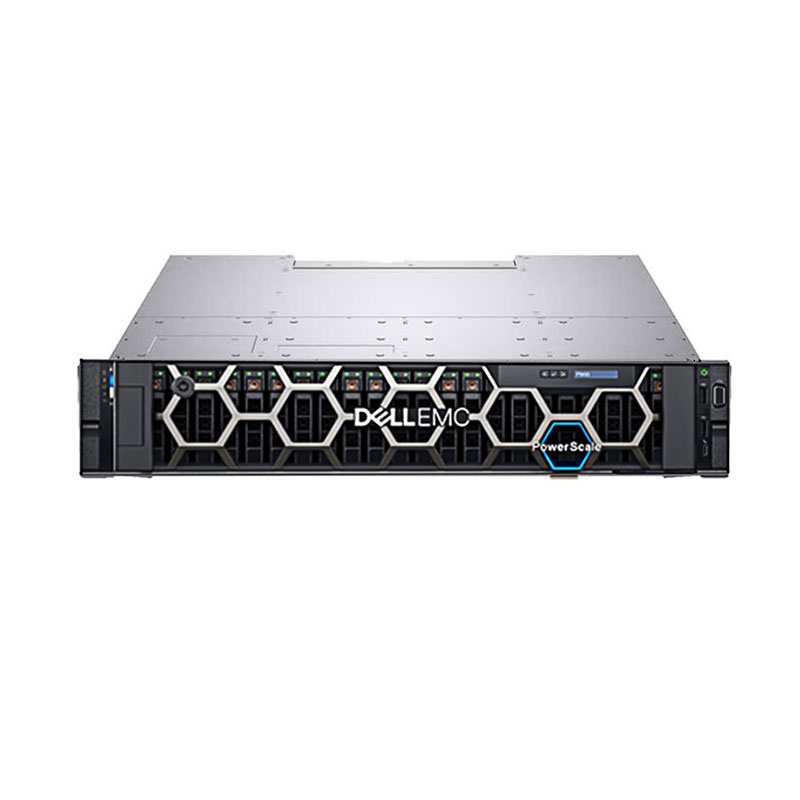
How Does All-Flash Thermal Efficiency Scale Across GPU-Dense Data Centers?
In GPU-dense setups like Dell PowerEdge XE9680 with 8x NVIDIA H100 GPUs, all-flash frees 3–5kW cooling per 2U by removing HDD heat. This reallocates capacity to high-TDP GPUs, supports liquid cooling without vibration risks, and aligns with AI factories achieving 37%+ TCO reductions through optimized thermal layers.
Which All-Flash Server Platforms Does WECENT Recommend for Thermal-Optimized Deployments?
WECENT recommends Dell PowerEdge Gen 16-17 models like XE9680, R760, R760xa, and R6715 with NVMe-only tiers for certified thermal performance. HPE ProLiant DL360 Gen11 and Lenovo options provide multi-vendor choices. As an authorized agent, WECENT offers OEM customizations like HDD-free backplanes and airflow shrouds for integrators.
WECENT Expert Views
As a certified partner with 8+ years of enterprise server deployment experience, WECENT has engineered all-flash configurations for over 500 data center clients across APAC, Europe, and Africa. Our OEM services include thermal profiling, thermal-optimized chassis redesigns, and bulk sourcing of all-flash nodes at 20–35% cost advantage vs. direct vendor procurement. For a typical 1,000-server migration from hybrid to all-flash, we’ve documented average cooling cost reductions of 35–42% alongside 18-month payback on incremental SSD capex.
Can All-Flash Architecture Reduce Unplanned Downtime from Thermal Failures?
Yes, all-flash cuts downtime by avoiding HDD thermal failures, which rise 40–50% in high-heat environments due to mechanical stress on bearings and platters. Enterprise SSDs handle 0–45°C stably without cascade failures, reducing warranty claims, RAID rebuild cycles, and MTTR for sustained data center reliability.
Check: Storage Server
How Should Enterprises Plan a Migration to All-Flash for Maximum Thermal ROI?
Start with thermal audits using power profiling and PUE tools to map HDD inventory and hotspots. Pilot on dev/test clusters to validate gains, then scale via bulk procurement from partners like WECENT for 20–35% SSD savings. Include lease programs and full lifecycle support for installation and validation.
What Are Industry Benchmarks for All-Flash Thermal Performance vs. Hybrid Systems?
All-flash shifts PUE from 2.0–2.2 to 1.6–1.8, cutting cooling OPEX from $0.18–0.22/kWh to $0.10–0.14/kWh. For 500-server sites, 3-year TCO shows $120K+ net savings after SSD capex, with 24–28 month payback excluding downtime benefits.
| Metric | Hybrid (HDD+SSD) | All-Flash (SSD-Only) | 3-Yr Savings |
|---|---|---|---|
| Cooling CAPEX | $850K | $520K | $330K |
| Annual Cooling OPEX | $180K | $110K | $210K (total 3-yr) |
| SSD Incremental CAPEX | Baseline | +$420K | — |
| Net 3-Year Benefit | — | — | $120K+ (excl. downtime avoidance) |
| Payback Period | — | — | 24–28 months |
Conclusion
All-flash servers deliver foundational thermal efficiency by eliminating thousands of heat-generating mechanical parts, yielding 60–70% per-server heat reduction and 30–42% cooling OPEX savings with under-30-month payback. WECENT, an 8-year authorized agent for Dell, HPE, Lenovo, Huawei, Cisco, and H3C, empowers B2B buyers with thermal-optimized configurations, OEM customizations, 20–35% bulk pricing, and end-to-end support for enterprise IT, AI, and data center deployments. Contact WECENT for a thermal audit and custom roadmap.
FAQs
How much heat does a typical enterprise all-flash server generate compared to a hybrid model?
All-flash servers like Dell R760 with all-NVMe generate 2.5–3.5kW versus 5–6kW for hybrids under sustained I/O, achieving 60–70% thermal reduction by removing spinning HDD components.
Can all-flash servers help reduce data center PUE ratios?
Yes, all-flash improves PUE by 0.3–0.6 points through mechanical heat elimination, enhancing airflow, reducing CRAC cycling, and enabling efficient cooling for dense racks.
What is the ROI timeline for migrating from hybrid to all-flash for thermal savings?
ROI typically hits in 24–36 months based on scale, electricity costs, and infrastructure; WECENT models site-specific scenarios via thermal audits for precise projections.
Does WECENT offer thermal design consultation for all-flash deployments?
Yes, WECENT provides thermal profiling, OEM chassis optimization, and white-label services with 8-year expertise; request consultation at www.szwecent.com.
Are all-flash servers compatible with liquid cooling for GPU-dense workloads?
Yes, all-flash removes HDD vibration risks, enabling liquid cooling on AI servers like Dell XE9680 with NVIDIA H100 GPUs and cooled SSD backplanes.